Docs Search the docs
  1. Docs
  2. Symbols and the Toolbox

Make your own stamp

Add a stamp with your own words, ready to place like the standard ones.

  • How-to
  • 1 min
  • Pro
  • Checked with Fluah 1.0.34

Where to find it

ToolboxStamps+ Stamp

Steps

  1. In the Toolbox's Stamps, click + Stamp › Words.
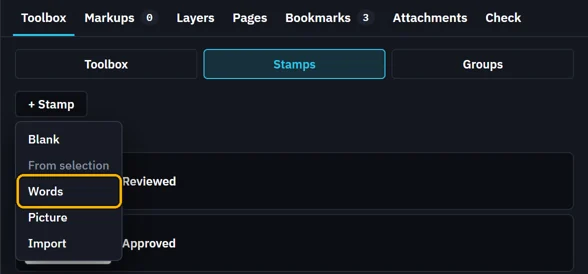
    + Stamp opened: Blank, From selection, Words marked, Picture, Import
  2. Type its label and second line, pick a colour, then click Add.
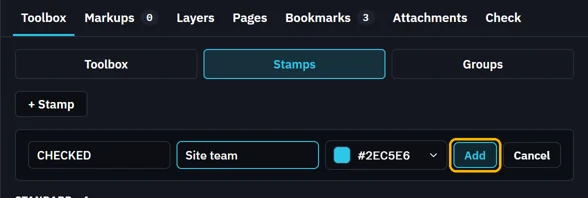
    Label CHECKED, Second line Site team, its colour, Add marked
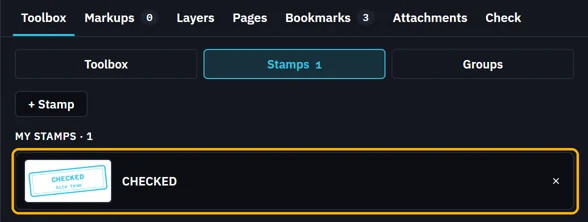
  3. It is in My stamps, ready to place.

    My stamps: CHECKED, Site team
  4. Click it, then click the sheet.

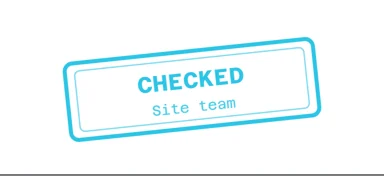
    The CHECKED stamp, Site team, on the title block
Was this page helpful?

Updated 6 November 2026