
Hide or show a button
Right-click a bar to hide a button, or to bring one back.
Where to find it
Right-click a barShow
Steps
Right-click the button, such as Auto save, then Hide auto save.
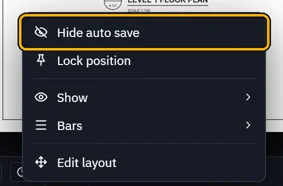
It leaves the bar.
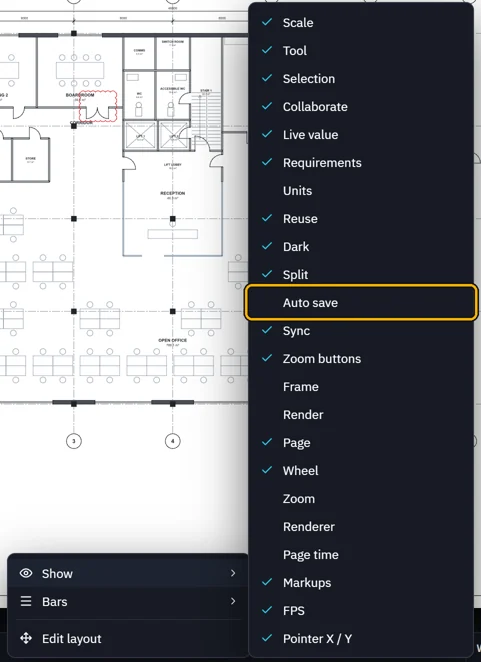
To bring it back, right-click the bar, point at Show and click it. A tick means shown.
A whole bar: right-click › Bars, or View › the bar's name.
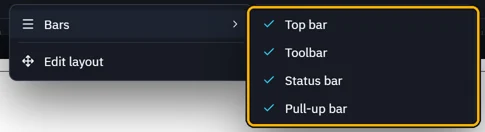 Tip. The tabs' right-click always has Bars, to bring back a bar you turned off.
Was this page helpful?
Updated 6 November 2026