
Install Fluah
Make an account, run the setup, open Fluah.
Where to find it
fluah.comDownload
Steps
On fluah.com, create a Fluah account, then download Fluah.

Run Fluah_1.0.34_x64-setup.exe. No administrator rights needed.
Tick I accept the agreement, then click Install.
When it says Installed, click Open Fluah.
Sign in with your Fluah account. See Sign in and your plan.
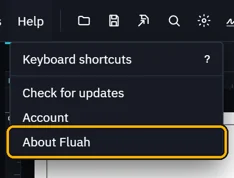
Check the version: Help › About Fluah.

You need
- Windows 10 or 11, 64-bit.
- The WebView2 Runtime, part of Windows 11. If it is missing, the setup offers to install it first.
- A Fluah account.
Was this page helpful?
Updated 6 November 2026