
Preview downloaded PDFs
Windows blocks previews of downloads. Fluah checks a PDF, then unblocks it.
Where to find it
FileSettingsGeneralExplorer preview
Steps
File › Settings › General › Explorer preview. Three switches sit under the preview's own.
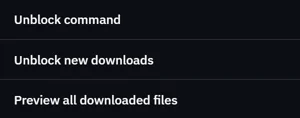
Switch on Unblock command. Read the risk, then click Allow.

In File Explorer, right-click a downloaded PDF › Unblock. Fluah checks it, then it previews.
Found something risky? Fluah keeps it blocked, unless you click Unblock anyway.
Unblock new downloads does it for new PDFs in Downloads and Desktop.
Preview all downloaded files turns off Windows' check for every file. Fluah calls it a major security risk.
Was this page helpful?
Updated 6 November 2026