Docs Search the docs
  1. Docs
  2. Symbols and the Toolbox

Add a legend

Put a table of the sheet's markups on the sheet, with how many of each.

  • How-to
  • 1 min
  • Pro
  • Checked with Fluah 1.0.34

Where to find it

DocumentLegend

Steps

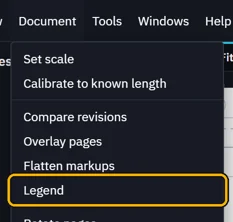
  1. Document › Legend.

    The Document menu, Legend marked
  2. Pick Sheet for this sheet's markups, or Workbook for every sheet's.
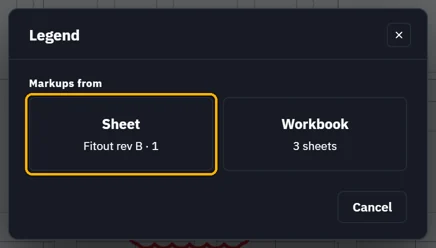
    Legend: Markups from, Sheet (Fitout rev B, sheet 1) marked, or Workbook (3 sheets)
  3. Edit the title and descriptions. Switch off rows you don't want. Click Place.
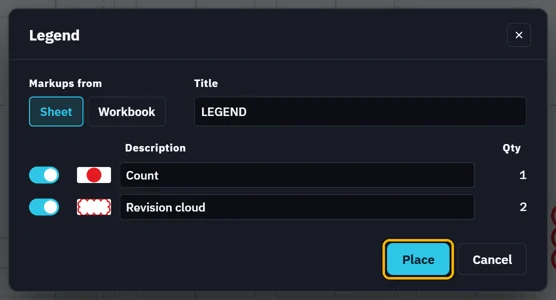
    Legend rows: Count 1 and Revision cloud 2, each with its switch, symbol and description, the title LEGEND, Place marked
  4. Click the sheet where it goes.

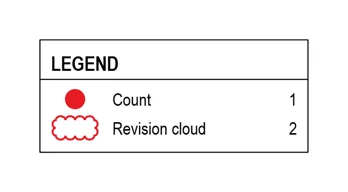
    The legend on the sheet: LEGEND, Count 1 and Revision cloud 2
    It keeps up as you add or delete markups. Right-click it › Edit legend to change it.
Was this page helpful?

Updated 6 November 2026