
Change a key
Give any tool or command the key you want.
Where to find it
FileSettingsKeyboard
Steps
File › Settings › Keyboard.
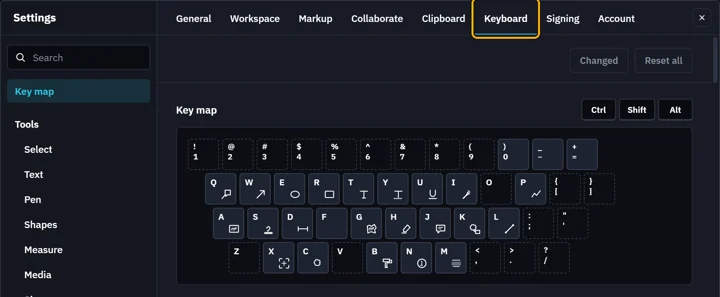
Type the tool or command in Search, such as cloud.
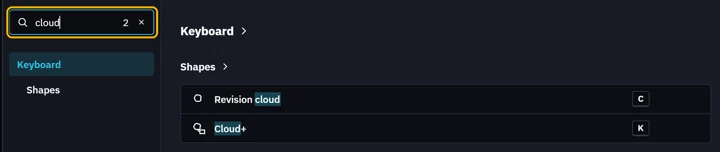
Click its key, then press the new one.

Taken? Reassign moves it here, Cycle shares it, Cancel keeps both as they were.

The new key shows. Its reset button puts the old one back.

Reset all puts every key back as Fluah ships.
 Space, Tab, Esc, Enter, the arrows and Alt+F4 keep their own jobs.
Was this page helpful?
Updated 6 November 2026