
Invite people
Add people to a project, each with a role.
Where to find it
Collaboratea projectInvite
Steps
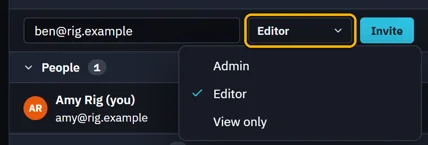
In the project's panel, type their email under Invite.

Pick their role, then click Invite.
They answer in Collaborate › Invites. Until then they wait under Invited.
 An invitation lasts 30 days.
Was this page helpful?
Updated 6 November 2026