
Overlay one drawing on another
Two drawings laid over each other: red, blue, and what they share.
Before you begin
Download the sample drawings: revision B is the current issue, revision A the one before it.
Where to find it
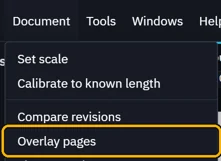
DocumentOverlay pages
Steps
Open the current issue, Fitout rev B.pdf. Go to Document › Overlay pages.
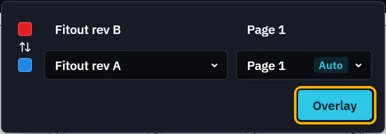
Pick the other drawing, Fitout rev A.pdf. Its page is matched for you. Click Overlay.
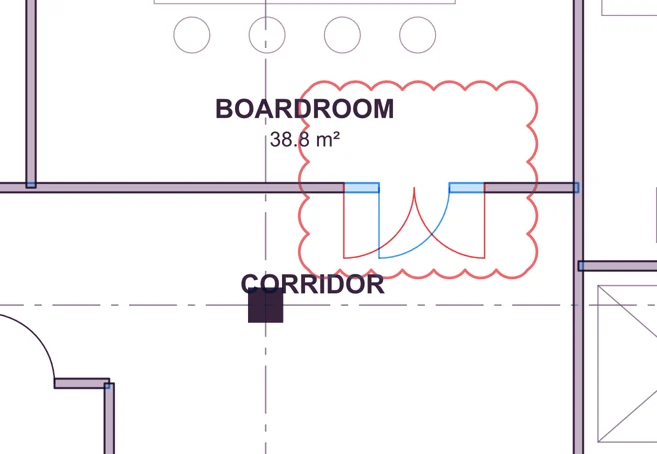
This sheet is red, the other blue. Lines they share are dark.
Not lined up? Use Move, Rotate, Scale or By points.

Apply saves the overlay as a new PDF. Cancel takes it off.
 The open file is never changed.
What’s next
Was this page helpful?
Updated 6 November 2026