
Sign in and your plan
Your account opens Fluah. Your plan sets which tools work.
Where to find it
HelpAccount
Steps
When Fluah opens, type your account's email and password. Click Sign in.
Asked for a code? Type the code from your email, then click Verify.
On Free, markup tools carry a padlock. Measuring, viewing and signing stay open.
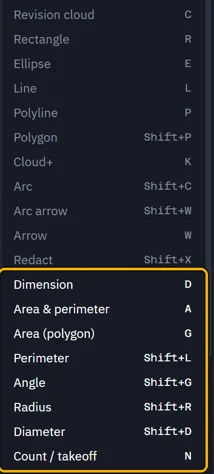
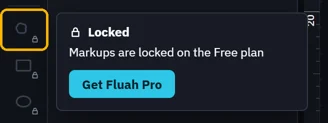
Click a locked tool to see why. Get Fluah Pro opens the plans on fluah.com.
Help › Account shows your plan. Just bought Pro? Click Check now there.
Was this page helpful?
Updated 6 November 2026