Docs Search the docs
  1. Docs
  2. Markups

Draw shapes

Boxes, ellipses and any outline you can click.

  • Tutorial
  • 2 min
  • Pro
  • Checked with Fluah 1.0.34

Where to find it

Rectangle

Steps

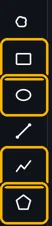
  1. Pick a shape tool in the toolbar.

    The Rectangle, Ellipse, Polyline and Polygon tools marked in the toolbar
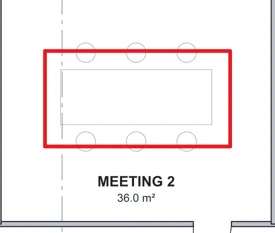
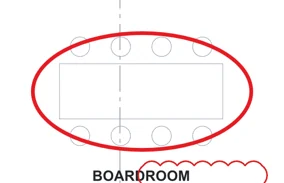
  2. Rectangle R or Ellipse E: drag.

    A rectangle round the table in meeting room 2
    An ellipse round the boardroom table
    Tip. Hold Shift as you drag a rectangle to make it square.
  3. Polygon ShiftP: click each corner, then the first corner again.
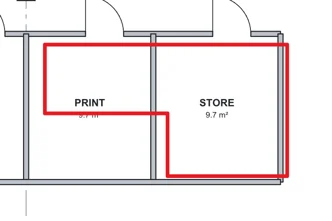
    A polygon round the print room and part of the store
  4. Polyline P: click each point. Double-click the last one.
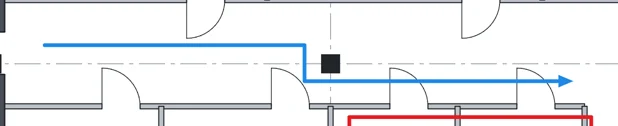
    A polyline along the corridor
Was this page helpful?

Updated 6 November 2026