Docs Search the docs
  1. Docs
  2. Markups

Use the Markups list

Every markup in one list. Click a row to go there.

  • Tutorial
  • 1 min
  • Free and Pro
  • Checked with Fluah 1.0.34

Where to find it

Markups

Steps

  1. Click Markups on the bar at the page's right edge.

    Markups marked on the bar at the right edge of the page
  2. Each markup is a row, with its words.
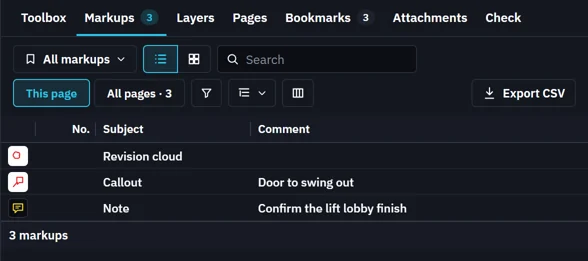
    The Markups list: a row each for the revision cloud, the callout and the note, with their words
  3. Click a row to go to its markup.

    The note selected and brought into view
  4. Type in Search to find markups by their words.
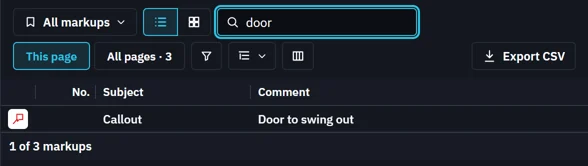
    door typed in Search: only the callout that says Door to swing out is left
    Tip. All pages lists the markups of every page. Export CSV saves the list as a CSV file.
Was this page helpful?

Updated 6 November 2026