
Calibrate the scale from a known length
No scale you trust? Measure something you know.
Where to find it
SCALECalibrate
Steps
Click SCALE on the status bar, then Calibrate.

Click both ends of a known length, like the scale bar's 0 and 10.

Type the real length, pick mm or m, then Apply.
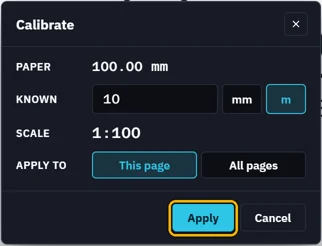 Tip. All pages calibrates every sheet at once.
CAL shows the page is calibrated. Clear in the scale panel takes it off.


Was this page helpful?
Updated 6 November 2026