Docs Search the docs
  1. Docs
  2. Markups

Make an array

Copies of a markup in a row, evenly spaced.

  • Tutorial
  • 1 min
  • Pro
  • Checked with Fluah 1.0.34

Where to find it

EditArray

Steps

  1. Right-click a markup, then Array…. Or select it and press A then R.
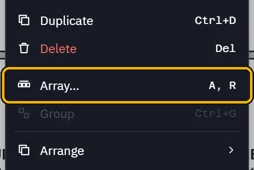
    Array… in the right-click menu, its keys A, R
  2. Click a start point, then where the second copy goes.
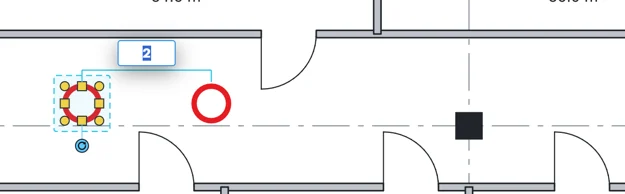
    The second copy placed, and a box for the number of copies
  3. Type how many, then press Enter.

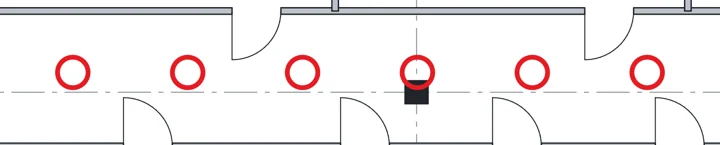
    Six downlight circles along the corridor, evenly spaced
  4. Change the number or the spacing later in Array in Properties.
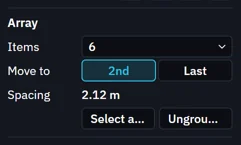
    Array in Properties: Items, Move to 2nd or Last, Spacing, Select all 6 and Ungroup array
Was this page helpful?

Updated 6 November 2026