
Open a drawing
Every PDF opens in its own tab.
Where to find it
FileOpen PDF
Steps
File › Open PDF, or CtrlO, or Open in the top bar.
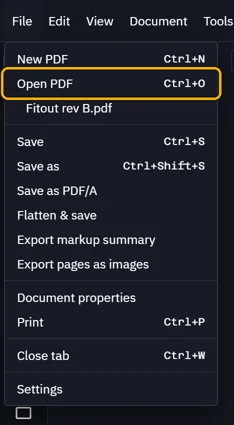
Pick the PDF. It opens in a new tab.

Or click + at the end of the tabs.

Or drag a PDF from File Explorer onto the window.
Open one again from File: your last PDFs sit under Open PDF.
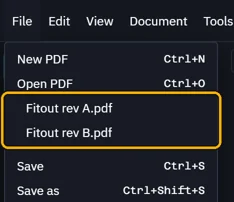 Tip. A PDF that is already open comes to the front, never twice.
Was this page helpful?
Updated 6 November 2026