Docs Search the docs
  1. Docs
  2. Pages and files

Crop pages

Cut the edges off a page, or keep just what you see.

  • How-to
  • 1 min
  • Free and Pro
  • Checked with Fluah 1.0.34

Where to find it

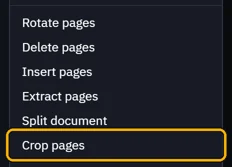
DocumentCrop pages, or PagesCrop…

Steps

  1. Open Document › Crop pages.

    The Document menu, Crop pages marked
  2. Type how much to cut off each side, then OK.
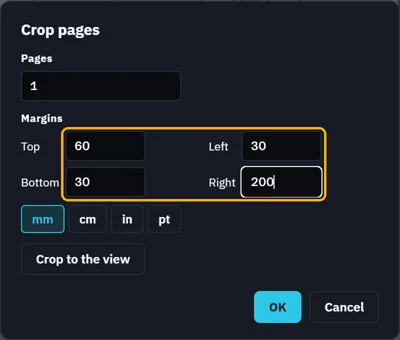
    Crop pages: Top 60, Left 30, Bottom 30, Right 200 mm
    Tip. Or zoom in on what to keep, then click Crop to the view.
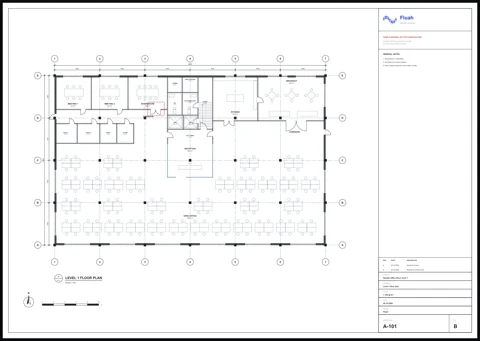
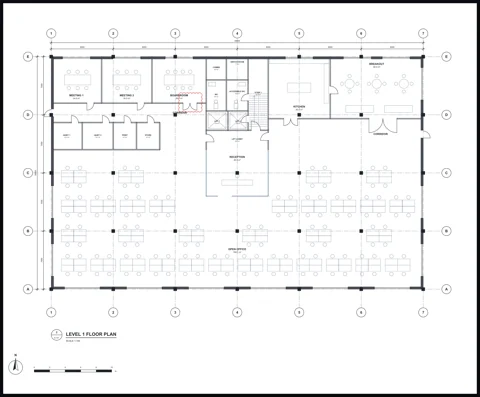
  3. The page keeps what is left.

    Page A-101 before: the floor plan and the title block
    Page A-101 after: the floor plan only
Was this page helpful?

Updated 6 November 2026