
Docs Search the docs
  1. Docs
  2. Estimate

Count symbols with Find

Box one symbol; Fluah finds the rest and counts them.

  • How-to
  • 1 min
  • Free and Pro
  • Checked with Fluah 1.0.34

Where to find it

Find (D)

Steps

  1. With a count's tool on, click Find (D).

    The LED downlight count's bar: Find marked
  2. Pick This sheet or Count sheets.

    The Find bar: This sheet and Count sheets marked
  3. Drag a box round one symbol. Each match is marked.
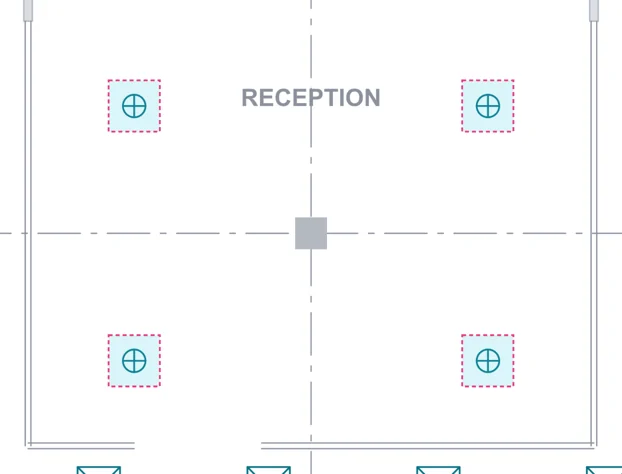
    The reception: its four downlights marked as matches
  4. Check the number found, then click Apply count.

    The Find bar: 26 found, Apply count marked
  5. The count takes them all.

    The count: LED downlight 26 ea
    The stage: LED downlight, 26 on this sheet, 26 in the job
Was this page helpful?

Updated 6 November 2026


