
Export a markup summary
Each markup and its measurement, with totals, in a CSV file.
Where to find it
FileExport markup summary
Steps
File › Export markup summary. Publish has it too.
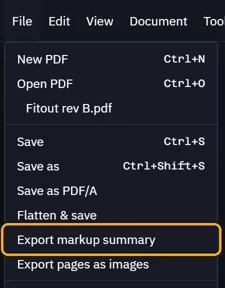
Name the file and save it.

Each markup is a row. The totals come last.
Page Type Label Text Author Measurement Comments 1 Dimension You 8.00 m 1 Area Area You 38.8 m² · 25.04 m 1 Area (polygon) Area You 60.2 m² · 31.04 m 1 Count Count You TOTALS Total linear 8.00 m Total area 99.0 m² Total count 3 The summary lists only the page you are on. For every page: Markups › All pages › Export CSV.
 The Markups list's file has the list's own columns and no totals.
Was this page helpful?
Updated 6 November 2026