
Batch sign and certify
Sign every sheet at once, or certify what may change after.
Where to find it
DocumentBatch sign or Certify
Steps
Open Document › Batch sign or Certify. Drag a box for the signature.
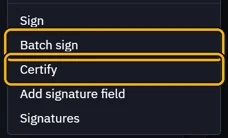
Batch sign puts it on each page, same place. Pick which pages.

Unlock your signature, then click Sign 3 pages.

Certify adds Permissions: what may still change after it.
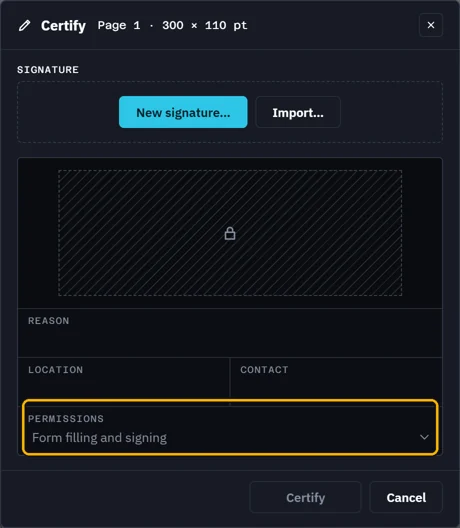 Tip. Pick No changes, Form filling and signing, or Form filling, signing, annotations.Certify needs an unsigned PDF. Once signed, it is greyed.
What’s next
Was this page helpful?
Updated 6 November 2026